The New Nomaden Help and Support Center
The New Nomaden Help and Support Center
New Help Center and Self-Help Knowledge Base

Don't have a login yet? You can create one yourself! Just use your NomadenLimited.com email when signing up to ensure you get access to all relevant information pertaining to our internal operations.


1. Navigate to Support.Nomadenlimited.com

2. Input your email address and password to login. If this is your first time on the site, please follow the instructions for signing up on the right hand side of the member sign in fields.

3. Sign in to the Support Site

4. This is the Home Page of the Support Center. From here you can browse Self-help articles, User Guides, FAQ's, and to raise a support request with our support team. This is not the only one way of razing a support request, you can also email [email protected] directly with the information around your issue and it would generate a ticket for us to respond to just like if you created a ticket in this portal.

5. Click here to get to the Knowledge Base

6. This is the Knowledge Base Home Page. There are Sections for the relevant articles for which they fall under and a search bar where you can type in keywords to see if a KB Article has that information in it for quicker search and faster resolutions to your needs.

7. Click into a KB Article to see its information.

8. You are now in the article, if it is interactive follow the steps. If it is not interactive you can read and browse the sources from the end of the article.
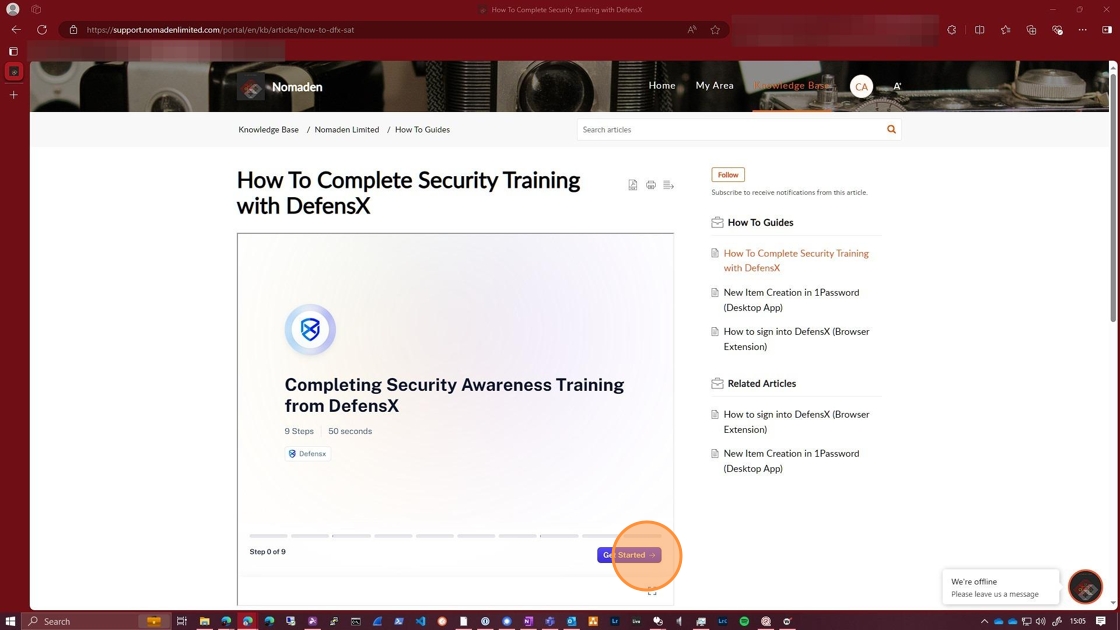
9. You can leave comments on the article. Suggestions are encouraged and feedback is always appreciated.

10. If you like or dislike the article you can vote on it here.

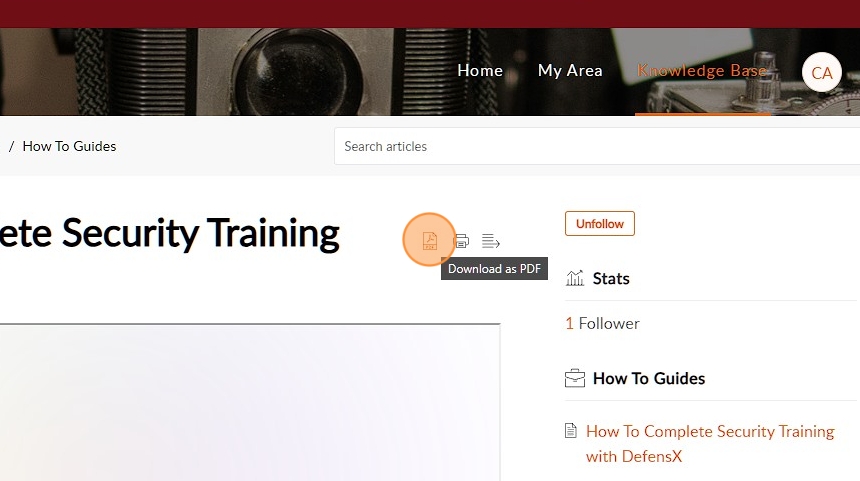
11. You can also follow articles that you frequent, or would like to get a notification on if there is an update to the article.

12. You can also export the article if you would like. Both PDF download and Print Options are available.
13. Congratulations on your high-level walkthrough and understanding of our new Support Center. If you have any questions or concerns around this, please reach out to [email protected] so that we can address them and help you be successful with this new experience.

Related Articles
Privacy Policy
Privacy Policy Last Updated: April 03, 2025 At Nomaden Limited or its authorized affiliates ("we," "us," or "our"), we are committed to protecting your privacy and safeguarding your personal information. This Privacy Policy explains our practices ...